
Choose the questions in your application
An enrollment application template sets out the questions you want families to answer. Assigning it to a program gives that program a consistent application to use.
Open Organization Settings → Application Templates.
Create a useful template
Section titled “Create a useful template”Choose Create Template and give it a clear name and description. Organize related questions into sections so families can work through them a little at a time.
Choose the answer format that fits the question: a short answer for a name, a longer answer for a routine, a date for a date, or a choice when you have a defined set of answers.
Make a question required only when you need the answer to move the application forward. Use help text to explain unfamiliar questions rather than putting long instructions in the question itself.
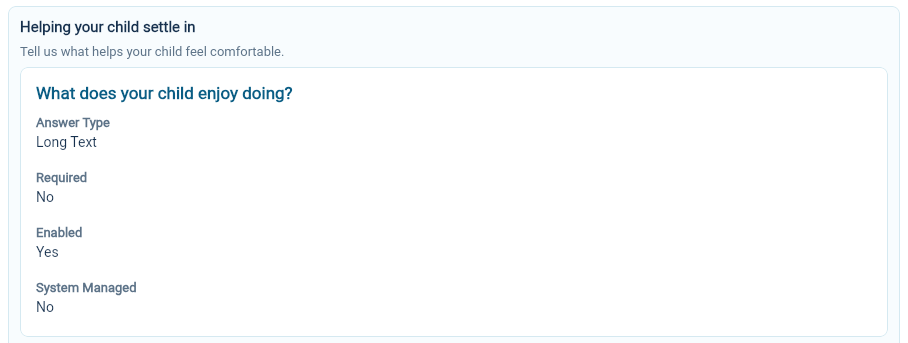
For example, “What helps when your child needs comfort?” gives the family a clear, practical question. It is easier to answer than a broad request for additional information.
Choose Create to save the new template, or Save when editing an existing one.
Review the saved template
Section titled “Review the saved template”Open the template and check its title, sections, questions and current version. Check whether each question is enabled and required, and whether the answer type is suitable.
If you use a title placeholder supplied by the editor, keep it intact. It allows the application title to include the corresponding organization information.
Assign it to a program
Section titled “Assign it to a program”Open Organization Settings → Site Setup → Programs and select the program. Edit its Application Template section, choose the intended template and save.
The program viewer shows the chosen template and version. Check that assignment before creating the next application.
Understand versions
Section titled “Understand versions”The template has version information, and an application records the template version used for it. When you change questions, review the affected program and a new application instead of assuming every earlier application has changed too.
Retain clear question wording when updating a template so answers remain understandable to the people reviewing them.
Retire a template
Section titled “Retire a template”Use Archive when a template should leave the active list. Check the programs using it and select a replacement where needed.
Application templates collect enrollment information. Document templates prepare documents and signing requests; they are managed separately.