
Understand sites, programs, groups and classrooms
Start with the place where care happens. In AmalynCare, that place is a site. Your organization can have one site or several, including both homes and centres.
The other records describe the care offered there and how children are organized.
| Record | What it means | Example |
|---|---|---|
| Organization | The organization running your service | A home child care agency or centre operator |
| Site | A home or centre where care happens | Harbourview Early Learning Centre |
| Program | A care offering at one site, with its own schedule and enrollment settings | Harbourview Early Years |
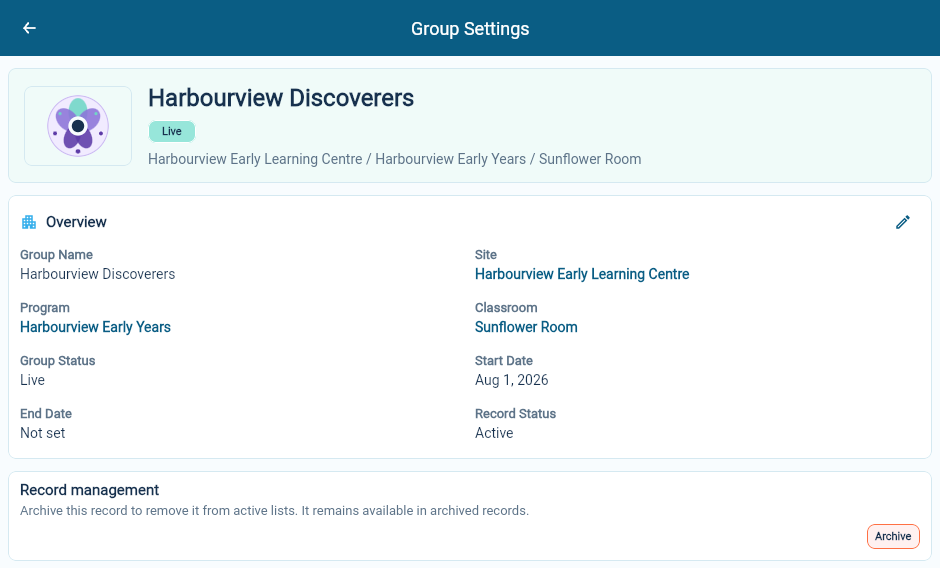
| Group | A group children join within a program | Harbourview Discoverers |
| Classroom | A named room at a site that can be assigned to a group | Sunflower Room |
For a centre
Section titled “For a centre”Create the centre as a site with the Center-Based Care care model. Add its programs and groups, then use classroom records to identify the rooms where groups meet.
For example, Harbourview Discoverers belongs to Harbourview Early Years and meets in the Sunflower Room.
For a home child care agency
Section titled “For a home child care agency”Create each home as its own Home-Based Care site. The home has its own address, working days and Home Operator. Add the care program and group for that home.
You do not need to invent a classroom just to make a home site look like a centre. Use the records that describe how you actually provide care.
Where to find setup and daily work
Section titled “Where to find setup and daily work”Use Organization Settings → Site Setup to maintain sites, holiday calendars, classrooms, programs and groups.
Use Site Operations → Sites in the main portal for day-to-day site work. Opening a site there takes you to Site Operations, with links to the records and activities for that location.
How enrollment fits
Section titled “How enrollment fits”An enrollment connects a child to care at a site and group for a period of time. It holds the attendance schedule and links to family contacts and billing information.
Set up the site, program and group before creating the enrollment or application that will use them.
Continue with site setup or programs and groups.