
Set up inventory items and stock locations
Inventory keeps track of supplies such as gloves, paper towels and art materials. Start by naming the items and the places where your program keeps them.
An item describes what you count. A stock location identifies where it is held. The stock quantity comes from the movements you record for that item and location.
You need inventory editing access to create these records.
Add an item
Section titled “Add an item”- Go to Inventory → Items and select Create Item.
- Enter the Item name and Unit of measure.
- Choose a Category if you use categories to organize supplies.
- Enter Minimum stock when you want to identify low stock for the item.
- Add a SKU or Description if useful, then select Create Inventory Item.
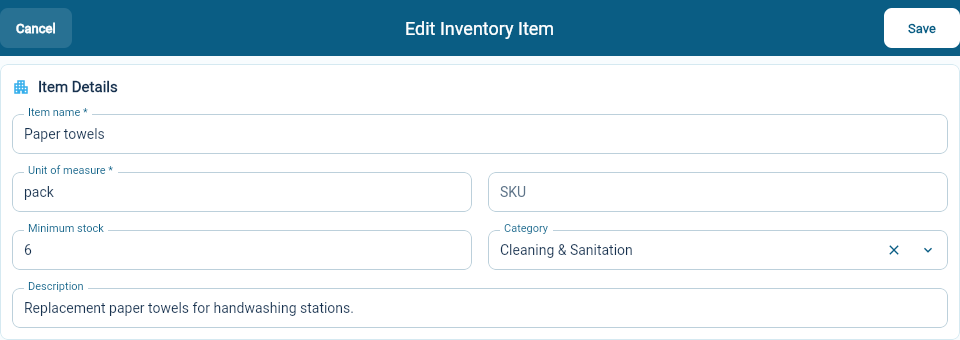
Choose a unit your team can count consistently: “pack” and “sheet” mean very different quantities for paper towels. In this example, a minimum of six means six packs.
To change an existing item, open it, use the edit control beside Item Details, then select Save Item Details.
Add a stock location
Section titled “Add a stock location”- Go to Inventory → Stock Locations and select Create Location.
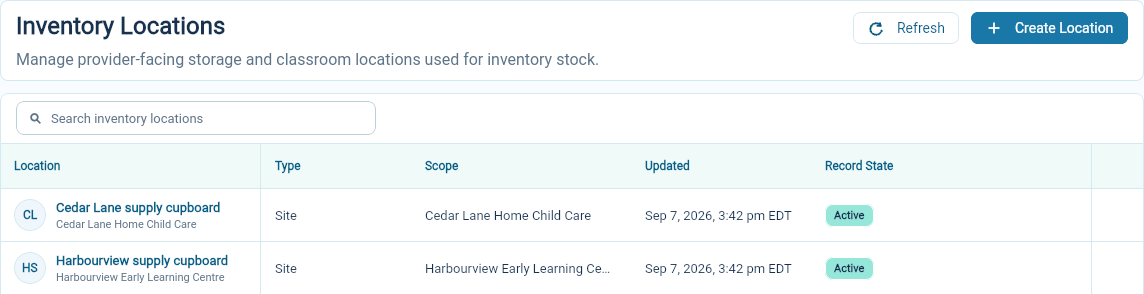
- Enter a descriptive Name, such as “Harbourview supply cupboard”.
- Choose the Location type.
- Choose the Site for a site-based location. Fill in the classroom selection when using a classroom location. For shared storage, use Central storage when appropriate.
- Select Create Location and check the saved location in the list.
Put the opening count on record
Section titled “Put the opening count on record”Creating an item does not establish how many you have. Count the supplies, then record an inbound movement for the opening quantity at the site.
The item’s Record Movement form uses an active stock location for the selected site, creating one if needed. It does not let you choose an individual cupboard, classroom or central-storage location. Check Stock Snapshot for the location used.
Once quantities and minimums are in place, use Low Stock to review supplies that need attention.