
Turn on notification categories for a role
Role-based notifications tell staff about work their job is responsible for, such as a billing review. They are grouped into notification categories, and each role turns each category on or off for the people who hold it. Each person then chooses the individual notifications they want in their own profile.
How categories work
Section titled “How categories work”- A new role has every category off. Turn on only the categories that match the job.
- The Owner role has every Organization-wide category on.
- A category is on for a person when any of their roles has it on.
- Turning a category on never reaches people who cannot open the subject. The role must also give the permission the category needs.
The role editor lists each category with where its events apply. There is currently one category:
| Category | Applies | Includes | Who is told |
|---|---|---|---|
| Billing | Organization-wide | Billing reconciliation needs review | Owners, and staff whose role has Billing on and includes View billing |
For example, an Accountant role with View billing and Billing on gives each Accountant the billing review notification. A Director role without View billing gets nothing from turning Billing on.
Before you begin
Section titled “Before you begin”You need the Manage access roles permission to change a role’s notification categories.
Turn a category on or off
Section titled “Turn a category on or off”- Open Organization Settings → Access → Roles & Permissions and select the role.
- Choose the pencil beside Notifications.
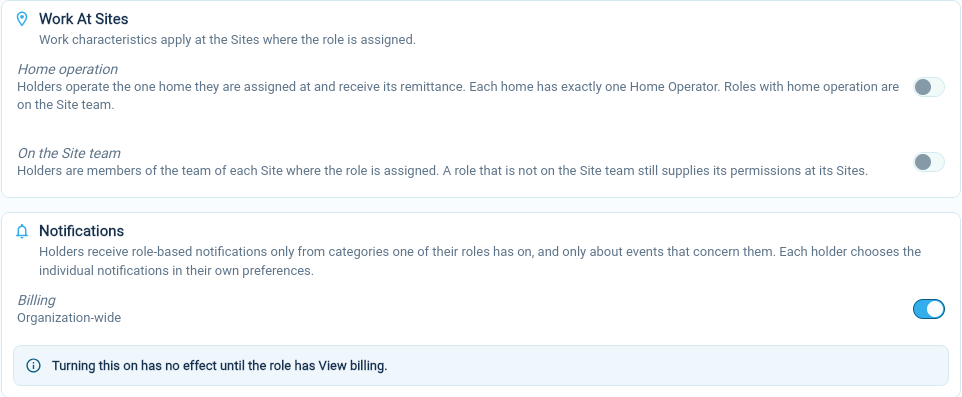
- Turn the category’s switch on or off.
- Choose Save.
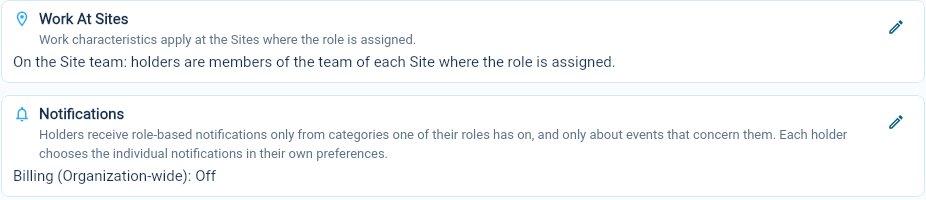
The role’s Notifications section then shows each category as On or Off, for example “Billing (Organization-wide): Off”.
 You can also set categories while creating a role.
If the role lacks a permission the category needs, the editor says so, for example “Turning this on has no effect until the role has View billing.” Add the permission under Applies Everywhere, or turn the category off.
What holders see
Section titled “What holders see”When one of their roles has a category on, the category’s notifications appear in each holder’s My Profile → Notifications. There they can keep the default, turn a notification off, and choose email and push copies. People whose roles have the category off see it named as not turned on by their roles. See Choose which notifications you receive.