
Manage Owners and the Primary Owner
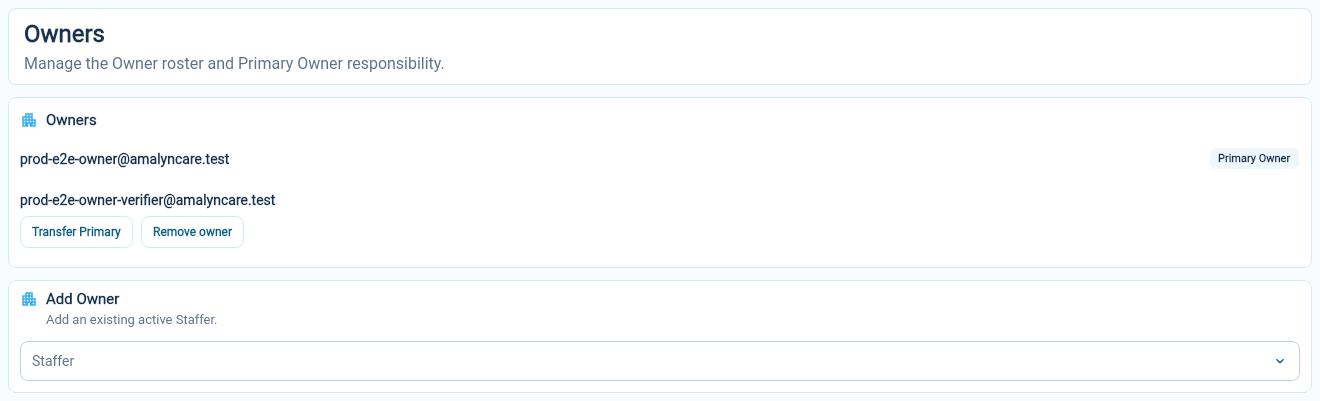
Owners have broad responsibility for the organization. Each Owner holds the protected Owner role, which contains every Organization permission. One Owner is marked as the Primary Owner. This is the person who manages changes to the Owner roster and can transfer that responsibility.
Open Organization Settings → Access → Owners to see the current roster.
Add an Owner
Section titled “Add an Owner”The Primary Owner can add an existing active staff member from the Add Owner section. If the person is not available, check that they have an active staff record first.
Choose the intended person and review the confirmation before completing the change. Owner access is broad, so use it for someone who shares responsibility for running the organization.
For a manager or educator who needs particular tasks or sites, an ordinary role may be a better fit.
Remove an Owner
Section titled “Remove an Owner”The Primary Owner can remove another person from the Owner roster. This also removes their Owner role. Any other roles they hold stay in place, so review them on the person’s staff profile afterwards.
Removing Owner responsibility is not the same task as ending someone’s employment. Keep the staff record and their roles consistent with the change.
Transfer Primary Owner responsibility
Section titled “Transfer Primary Owner responsibility”Choose Transfer Primary beside the Owner taking over. Check the recipient carefully and read the confirmation before continuing. Once the transfer completes, the new Primary Owner is responsible for future ownership changes.
This is useful when responsibility for the organization moves to another person. It is not needed for routine staff cover or a temporary change in site duties.
Where the organization subscription fits
Section titled “Where the organization subscription fits”Organization Settings → Subscription concerns your organization’s use of AmalynCare. It is separate from the tuition and invoices you prepare for families under Billing.
Check the subscription page for the current membership information and the actions available to the Primary Owner. Family billing is explained in the billing guides.