
Set working days, holidays and closures
The operating calendar shows whether a site is open, closed or not scheduled on a particular day. It brings together the site’s working week, its holiday calendar and any specific closure overrides.
Open Site Operations → Operating Days, or use Open operating days from a site’s operations page. Select the site and month you want to check.
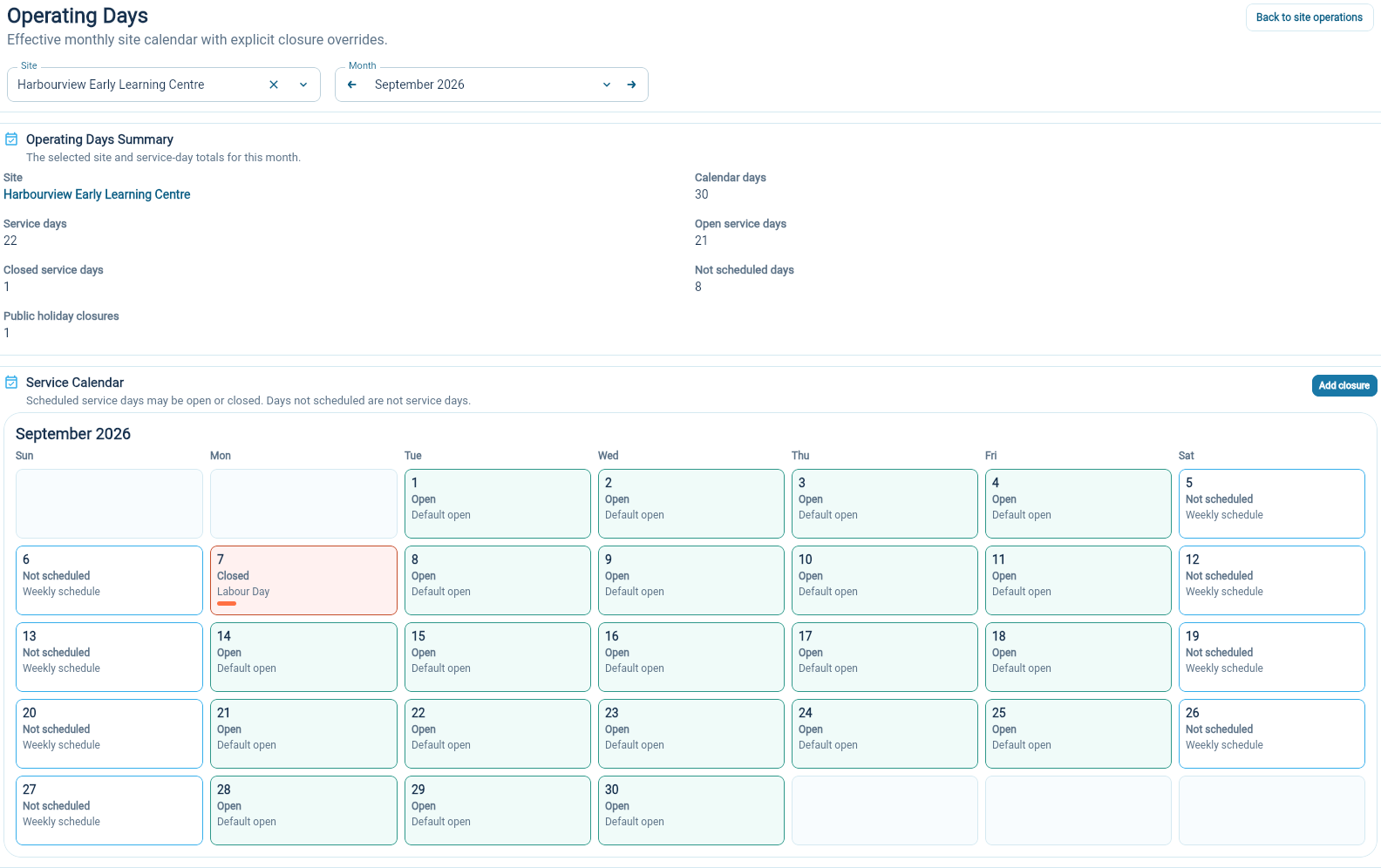
Read the three day states
Section titled “Read the three day states”Open means the day is part of the schedule and the site is open.
Closed means it is a scheduled service day with a closure, such as a public holiday or an exception your team recorded.
Not scheduled means the day is outside the site’s working schedule. For a Monday-to-Friday site, this usually includes weekends.
The monthly summary helps you see how those days add up. Check the calendar itself when you need the reason for one date.
Choose the usual working week and holiday calendar
Section titled “Choose the usual working week and holiday calendar”Maintain the site’s working days and calendar in Organization Settings → Site Setup → Sites.
The available holiday calendars are listed under Organization Settings → Site Setup → Holiday Calendars. Open one to review its region, observed holidays and any extra days before assigning it to a site.
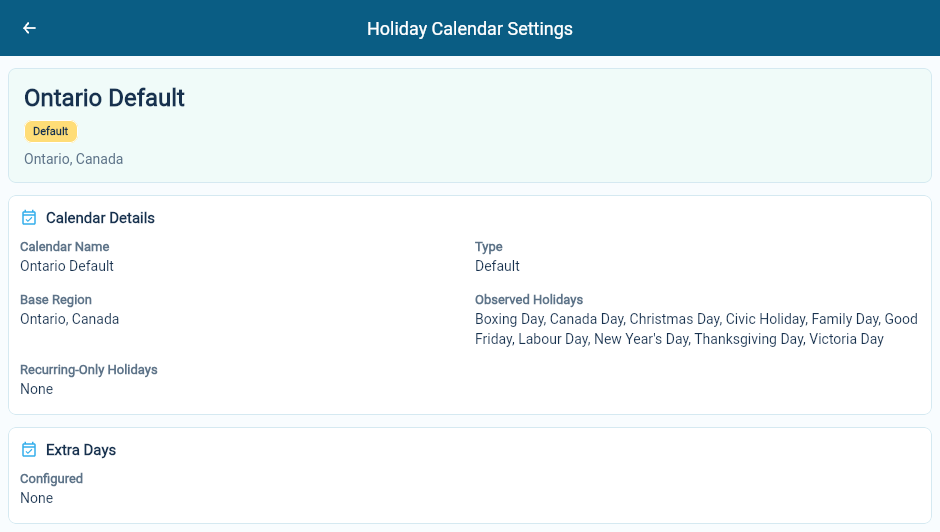
You cannot edit a calendar marked Default. If your organization needs different holidays or extra dates, create a custom calendar and select it in the settings for each site that should use it.
Record a closure
Section titled “Record a closure”- On Operating Days, check the selected site and choose Add closure.
- Enter Start Date and End Date. For a single day, use the same date in both fields.
- Choose the closure type and add a Reason. For a Planned closure, enter Parents Notified Date if you have already notified parents.
- Choose Apply closure, then check the affected dates in the calendar.
Only open service days in the range are closed. Days that are already closed or not scheduled stay unchanged. The closure does not change the site’s usual working week.
Check billing separately
Section titled “Check billing separately”A closed day is not automatically a free day. Whether tuition is charged depends on the program’s service-day billing policy and the enrollment’s schedule.
Use Billable days, holidays and closures when deciding how a closure affects a family bill.