
Keep records of people on the premises
Use People on Premises to keep information about people associated with a child care location, such as a resident or regular visitor at a home. Each person has personal details and one or more dated relationships with a site.
This is useful for recording who may be present, their usual presence pattern, and whether they may have access to children. It is a record of the arrangement, not a live arrival and departure log.
You need permission to manage people on the premises at the relevant site.
Add a person and their first site
Section titled “Add a person and their first site”- Open Site Operations → People on Premises and select Add Person.
- Enter First Name, Last Name and Date of Birth. Add contact details and notes as needed.
- Under Initial Site Association, choose the Site.
- Select the relevant Relationship to premises: Ordinary Resident, Regular Visitor, Volunteer or Educational Placement Student.
- Enter Effective From and, when known, Effective Until. Add a Presence Pattern describing when the person is usually there.
- Set Present During Operating Hours and May Have Access to Children to match the arrangement. Add Association Notes if useful.
- Select Add Person, then review the person and site relationship.
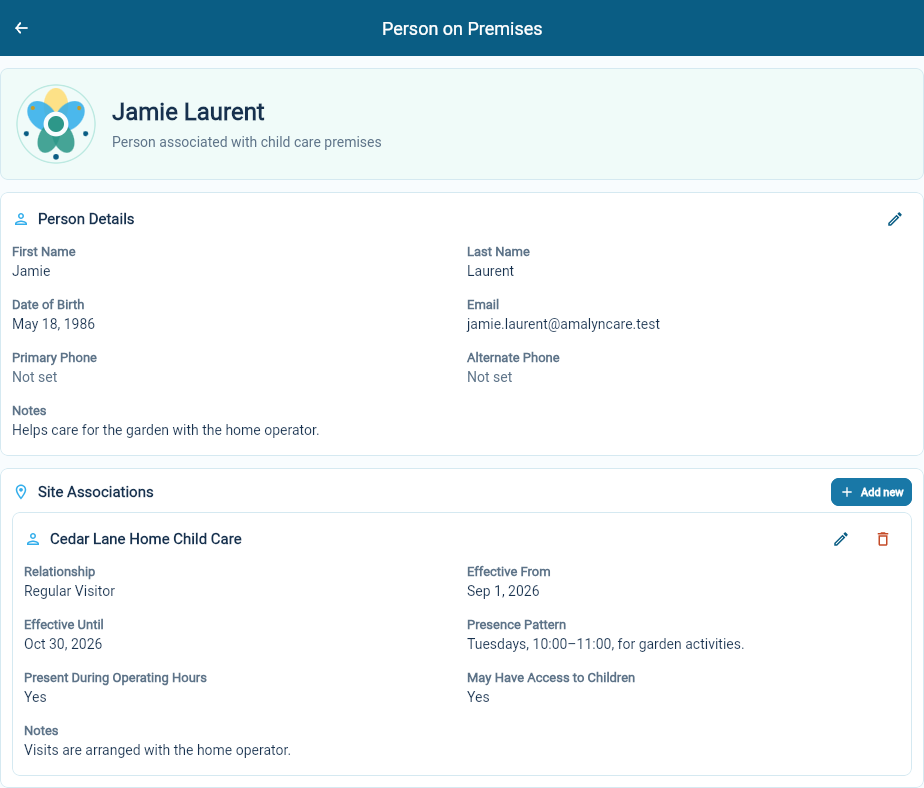
The example records a regular visitor helping with garden activities. Use the relationship and dates that apply to the person you are recording.
Keep the details current
Section titled “Keep the details current”Use the edit control beside Person Details for changes to the person’s contact information or general notes.
Under Site Associations, edit the relevant site relationship when its dates, presence pattern or other details change. Use Add new to record another site relationship. Keeping an end date helps distinguish a past arrangement from a current one.
The Documents area opens material filed against this person. See find and organize documents.
Use the right record for the task
Section titled “Use the right record for the task”Record staff employment in Workforce and the Sites where staff work through their roles. Record a child’s authorized pickup contacts in Admissions. Marking that a person may have access to children does not make them an authorized pickup contact for a child.